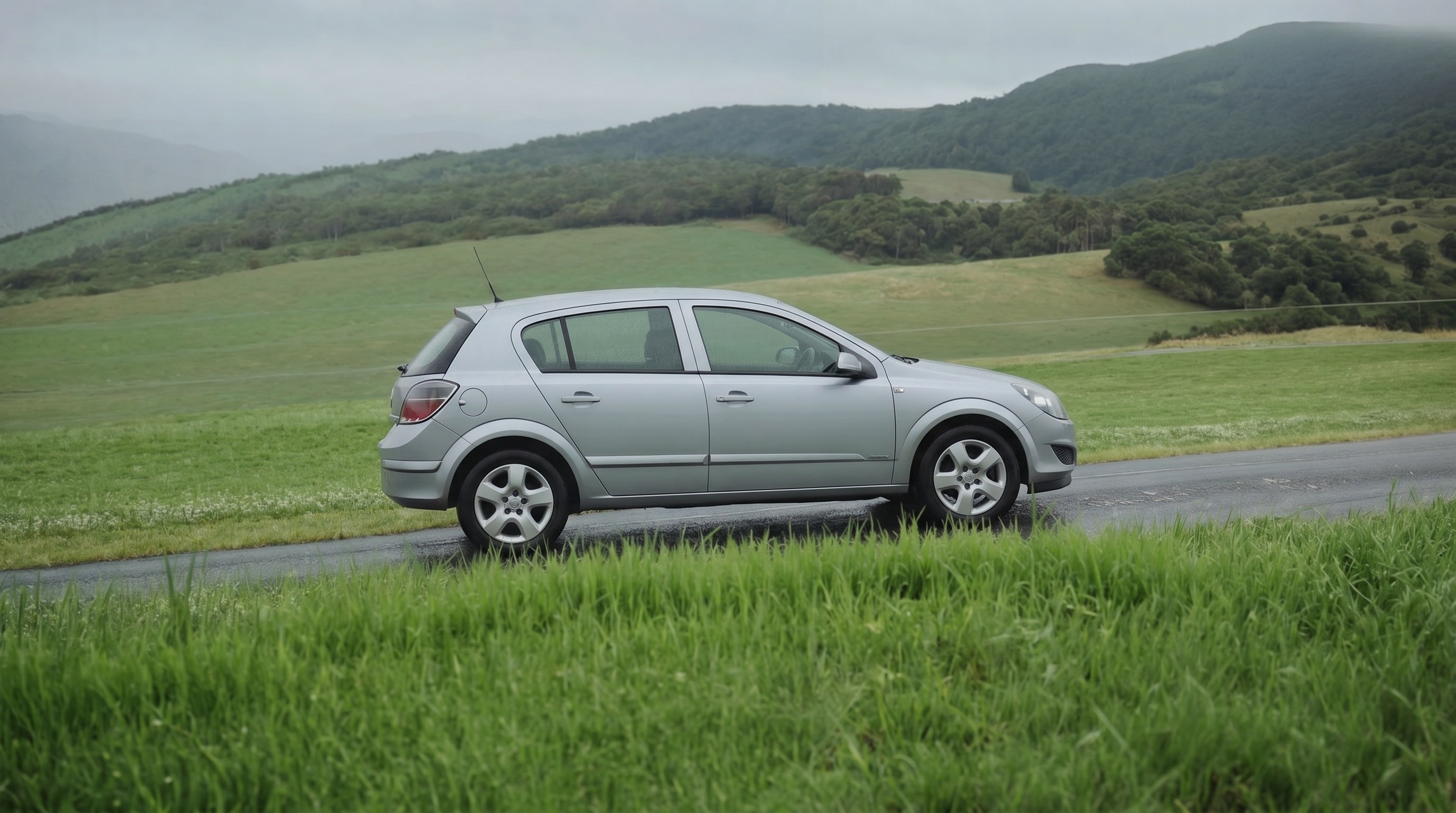
Most car dealers aren’t photographers. Cars get shot on messy forecourts, with inconsistent angles and poor lighting.
Existing tools take one of two approaches:

Background replacement (the standard approach among car-dealer tools) cuts the car out and swaps in a new background. This creates images that read as fake immediately.

General-purpose image editing tools (GPT Image, Nano Banana) solve the perspective problem but introduce two new ones: the background isn't pixel-consistent across a slideshow, which is an instant tell to anyone browsing a dealer's website, and scale isn't consistent between cars — a Mini Cooper can end up looking larger than an SUV.
My goal was simple:
keep the car’s scale accurate and the background pixel-consistent across every angle of the same car.
But, it had to work at volume..
Workflow
First we replace the car in a template with the input car.


In order to get a pixel perfect background we need to cut out the car from the background again.
Then we place the car back onto the background


Then we need to bring back the shadow into the composition.
Now the production stage was fixed I landed my first client. However the first time I processed a car it took me 5.5 hours…. I did the compositing manually, I could only run GPT one by one in ComfyUI. I had to change the prompt for each single angle. I had to sort out the input images myself, it was a mess. First step was to automate the production pipeline and drastically speed it up.
Automating production
Step
Initial
Automated
01 Sorting
Manually matching each incoming image to the correct output angle.
~10 min
Vision model auto-matches images to 8 fixed angles.
seconds
02 GPT
Run one by one in ComfyUI, prompt changed for every angle.
~25 min
All 8 angles generated in parallel via API.
~2 min
03 Compositing
Manual shadow recovery and compositing per image.
~4 hrs
Custom ComfyUI nodes, exported via API.
seconds
04 Formatting
Manual PNG → JPG conversion and metadata cleanup.
~40 min
Automatic conversion, compression, metadata strip.
seconds
Per car, end to end
5.5 hrs → <5 min
Automating the workflow
Now that the production stage is fully automated, I realised I actually lost a lot of time with admin. Downloading images from email, creating folders etc. First step was to make a breakdown of each step I had to take now in order to service a client.
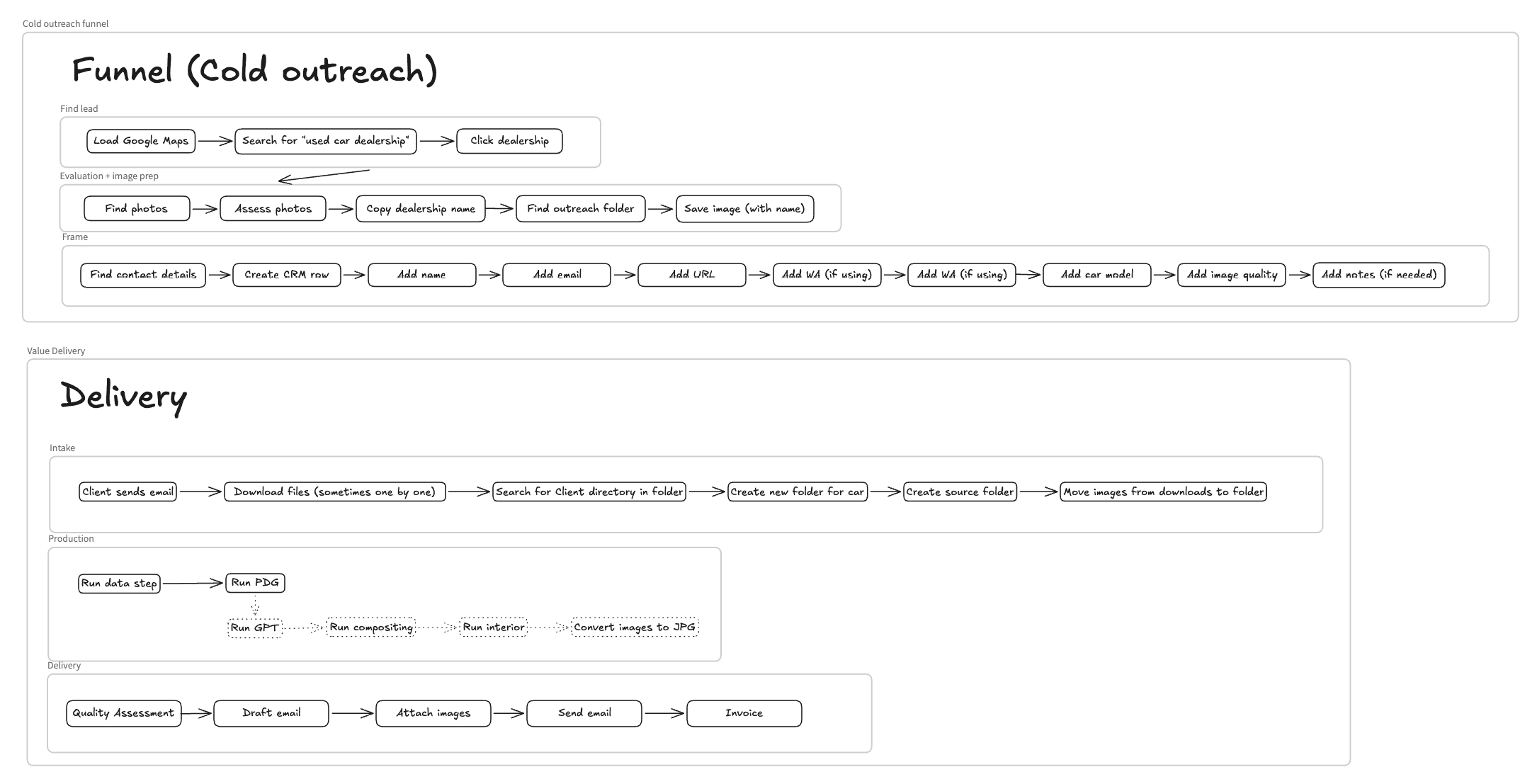
So I came up with the following workflow
Dropbox request link points to a dedicated Dropbox folder for each client.
A vision model gets triggered, grabs 4 images and identify the car model/make.
Compositing (the shadow recovery process discussed above
Formatting the outputs. Converting the images to JPG with the right compression for web and deleting the metadata.
Outcomes
End-to-end pipeline, from client upload to ready-to-publish images, in under 5 minutes per car — versus days for traditional photography
Roughly 90% success rate on well-lit, reasonably clean input photos
No training required on the client side — competitors typically require dealers to learn specific rigs or shooting angles; this system only needs photos uploaded to a folder
The core technique — generating without pixel drift, then compositing with consistent scale — isn’t car-specific. It can be applied to any product that needs multi-angle shots on a consistent background, particularly where floors or surfaces are low-detail (it degrades on high-detail textures like grass or sand). Product catalog photography and social content are the most direct adjacent use cases.
Challenges and future direction
Economics. The addressable market is currently independent used-car dealers specifically — larger dealers already employ photographers or have invested in turntable rigs, often have existing vendor contracts (e.g. Spyne), and higher-end dealers have less incentive to risk an AI-generated look at high price points. That leaves a market with thin margins: at £5–15 per car against roughly £0.40 in processing cost, margins are healthy in principle, but only if quality control is fully automated. Currently every image gets a manual check, which erodes the margin the automation was supposed to create. A vision-model QC step is the likely next fix.
Technical accuracy limits. The system preserves visible damage (bumps, scratches) well, but reflection accuracy varies — high-detail reflections (trees, leaves) transfer less reliably than overcast or low-reflectivity conditions. Not yet 100% consistent.
Compliance. AutoTrader’s policy is a genuine grey area: background and lighting edits are explicitly allowed, but editing the car itself is not, and it’s unclear whether this system’s process counts as the latter. I’ve asked AutoTrader directly for clarification and haven’t had a response yet. Separately, damage-accurate reproduction is harder than it sounds — the system currently maps all inputs to 8 fixed angles (0°, 30°, 90°, 135°, 180°, 215°, 270°, 330°), and matching a specific source photo to a specific output angle would require vision models to reliably distinguish close angles like 30° from 330°, which they currently don’t do well enough to keep the pipeline both accurate and fast.
Not yet automated. Delivery to the client is still manual. The pipeline currently runs from a local terminal with ComfyUI kept open throughout — moving this to a persistent, always-on service is the next infrastructure step.